Choose your domains
Select the sites you want to pause. Chrome asks for host permission only after you choose a domain.
Pray Shield for Chrome · beta v1.0.0
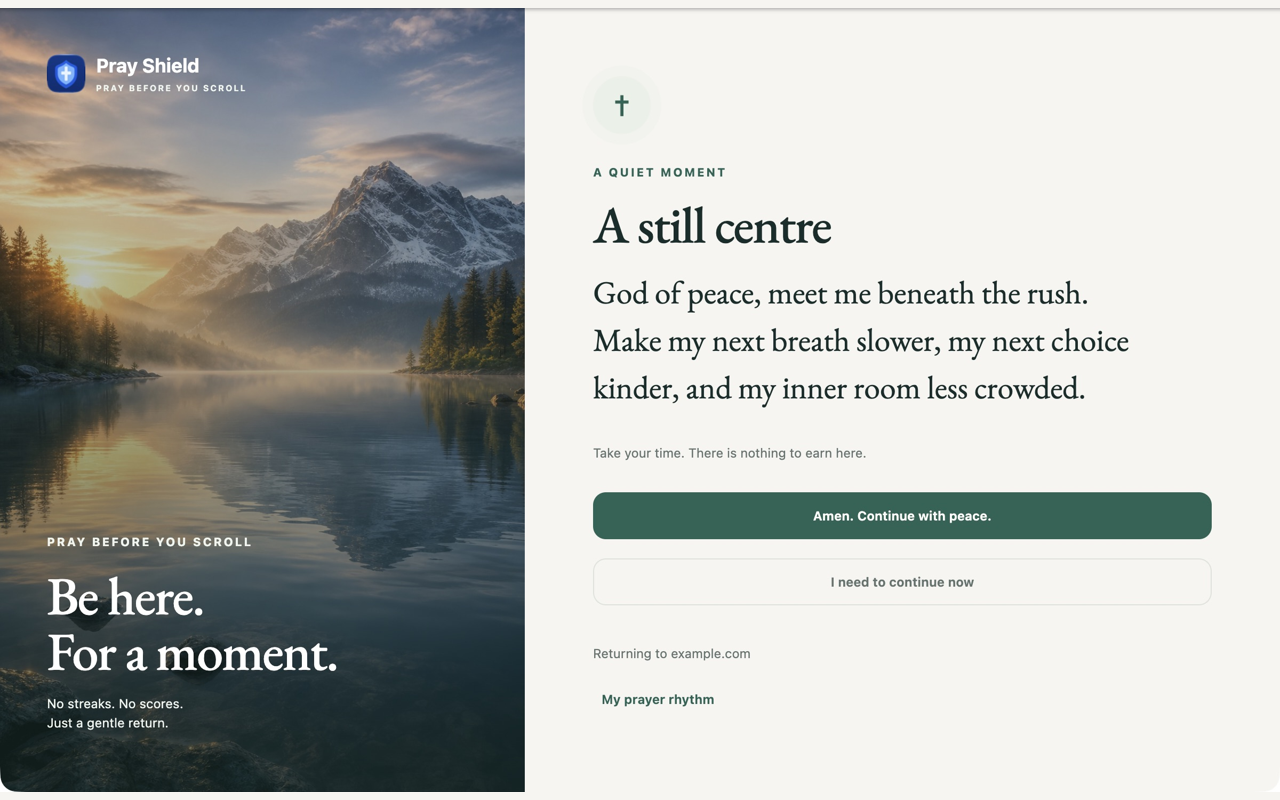
Pray Shield for Chrome pauses the websites you choose during a prayer window, then gives you a short original prayer and a deliberate way back.
ZIP for manual unpacked installation · Chrome desktop
A small boundary
Select the sites you want to pause. Chrome asks for host permission only after you choose a domain.
Use morning, midday, evening, or night windows. Optional notifications are under your control.
Read a short prayer, then choose Amen or consciously skip. Your original page is ready when you return.
Pray Shield for Chrome · beta v1.0.0
Download the Chrome beta
A clear limit
This is a self-control aid, not an unbreakable blocker. Scheduled redirects and optional notifications do not run after Chrome is closed. There is no account, payment, analytics, remote service, or Chrome Web Store listing yet. The return URL stays in the pause fragment and browser history; it is not sent to a server. User-clicked website and App Store links may carry attribution parameters and are governed by the linked site's own privacy policy.
Questions
Not yet. This beta is installed manually as an unpacked extension from the downloaded ZIP.
No. This beta is for Chrome on desktop and does not sync with iOS or phones.
It stores your chosen settings and selected domains until reset or uninstall. Prayed/skipped completion history is local and pruned after 45 days; it is not sent to a server.
Already use Pray Shield on iPhone?
 Chrome extension privacyContact supportBack to Pray Shield